

Challenges
- Siloed data stuck in various software products
- Multiple databases across the district’s systems
- Teachers using inefficient spreadsheets and data sets from different sources
Products & Solutions
- PowerSchool Student Analytics
- PowerSchool Schoology Learning
- PowerSchool Professional Learning
- PowerSchool Perform
- PowerSchool Applicant Tracking
- PowerSchool eFinancePlus
- PowerSchool Predictive Enrollment Analytics
Results
- Integrated data system with deeper insights connected to student performance
- Unified ecosystem for efficient workflow
- Effective product purchases connected to actual staff and student needs
As Minnesota’s fifth largest district, Osseo Area Schools needed to modernize and unify its technology systems and use data better. With over 2,000 different instances of SQL databases, simple access to unified data wasn’t easy. It had been difficult for administrators and teachers to pull data together from multiple software products—including inefficient spreadsheets—to see meaningful insights.
The district wanted to create a unified education ecosystem that supports students and staff comprehensively—with connected data and insights helping inform everything from personalized learning and classroom instruction to professional development and staff evaluations.
Osseo Area Schools serves 21,000 students from the northwest suburbs just outside of the Minneapolis-St. Paul metro area. The district features 31 school sites, along with a comprehensive K-12 online school.
To launch its modernization process, Osseo developed an aligned strategic plan and revised mission and vision that focused on initiatives that would improve teaching and learning through data integration.

“We’ve been very intentional about trying to break down the silos that exist in traditional schools. When you get to systems that serve 20,000 students and larger, silos easily creep in and affect efficiencies within operations,” says Anthony Padrnos, Ed.S., Osseo Area Schools’ Executive Director of Technology. “We are focused on modernizing our solutions and creating an ecosystem that supports students within our digital learning plan and the larger ecosystem of allowing flexibility within our educational environment to tackle today’s educational challenges.”
Here are Osseo Area School’s steps to success in modernizing its ecosystem, along with results produced from a unified tech system built for the future.
Step 1: Nurture PLCs to Gain Insights into District Needs
A top goal of a thriving professional learning community (PLC) is to establish and build on a process where educators work together to improve instruction and student outcomes. This functionality was foundational to Osseo’s modernization process, and PLCs proved instrumental within the plan to create a better ecosystem.
PLCs participated in data meetings with both the district technology department and each of the schools’ administrators. Looking at data sets—including student assessments, behavior, course pass rates, graduation rates, and dropout rates—the groups worked to better understand how to efficiently and effectively make informed decisions that could impact a student’s success.
PLCs used that data to inform next steps to help those struggling students.
“We wanted to identify students who might not be on track for graduating within four years,” says Padrnos. “We wanted to use data to target dropout prevention and student engagement.”
Step 2: Assemble the Larger Team
In addition to meeting with PLCs, Osseo’s technology department met regularly with multiple teams throughout the district. A core planning team was created, comprising a broad range of departments, including technology, multilingual learner, special education, teaching and learning, building administration, and equity. The team met monthly to discuss things like:
- What’s happening in the technology landscape
- Status of classroom technology and effectiveness
- How to improve and support instruction
- Ways to improve the tools, resources, and data that teachers need to be effective in the classroom
The information systems team, which maintains software, meets regularly with the research, assessment, and data team to discuss support and training within each building around data and data usage.
“We have monthly meetings between cross departments throughout the district to make sure that we understand the needs everyone has from a data perspective and ways to continue the capacity of data tools. We continually look at data goals to drive informed decision-making, enhance the instruction that’s happening in the classroom, and improve school operations,” says Padrnos.
Step 3: Determine Software Systems
In a team approach, the district selects software for its specific needs. Padrnos says it’s not simply a matter of choosing a product based on its feature set or whether or not a similar district is using that solution. Osseo’s core planning team brainstorms and discusses its needs and how a specific solution will support them.
When a product isn’t meeting its needs, Padrnos’ team meets to determine what exactly isn’t working well.
“Rather than saying the student information system doesn’t work well, we ask more specifically what isn’t working about it. Is it the workflow, the navigation, or access? We’re very intentional about trying to get to the root of what is the issue when we’re troubleshooting anything.”
Step 4: Implement a Unified, Modern System
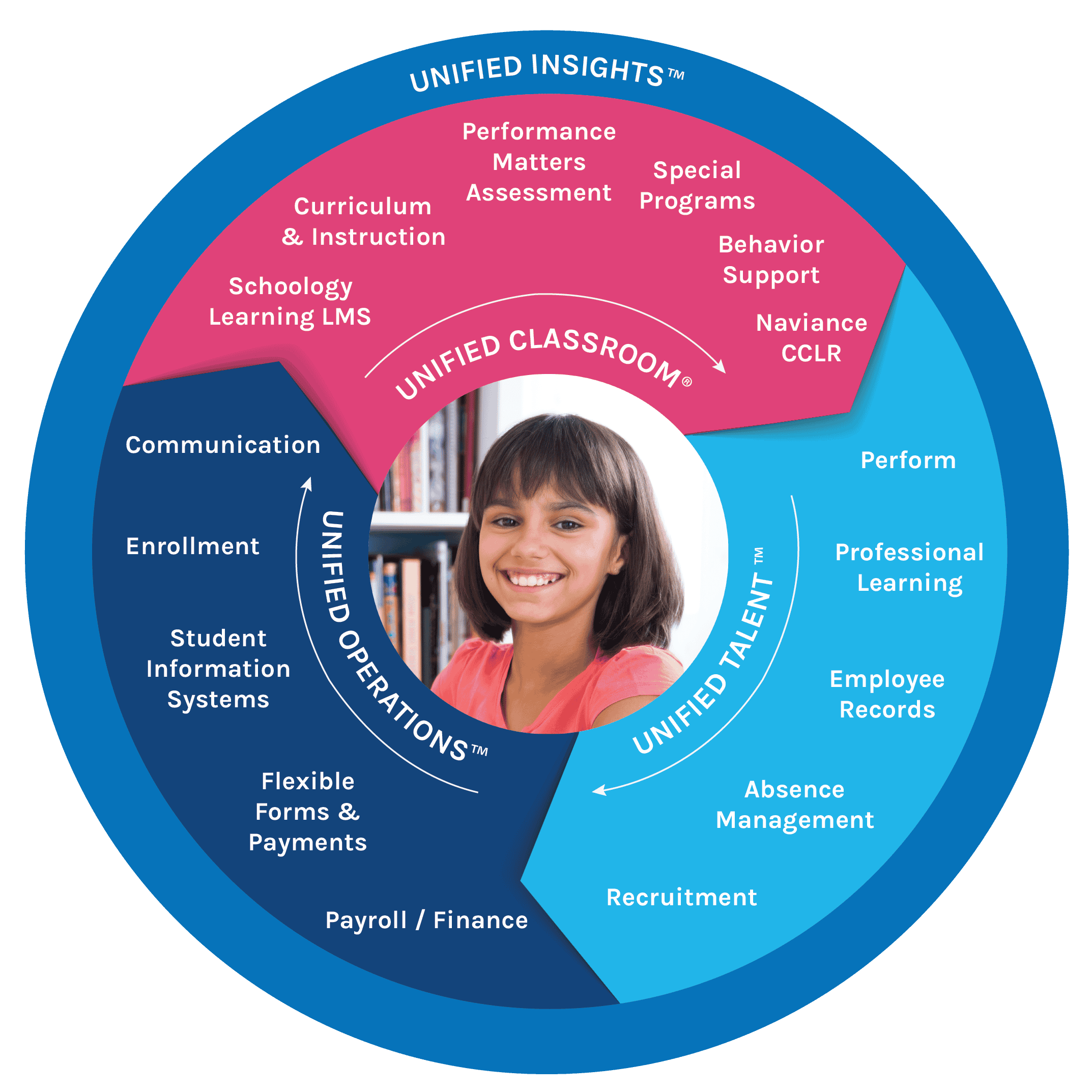
In selecting software to improve data usage, the district focused on unified products that ensure data is central to impacting classrooms. Throughout that process, the district has selected multiple PowerSchool products, helping to create one secure, interoperable ecosystem with connected products, shared data, and a streamlined workflow. Systems become more efficient when they work together and securely share data. Data automatically updates across the system when a change is made in one program.
“We needed to make our data tools more meaningful and user-friendly, so they could help us drive where we’re going as an organization. We engaged in a large process and brought in a lot of data solutions to understand which one could best meet our needs. We could see the commitment within PowerSchool to truly partner and build something that will help us drive innovation in our organization,” says Padrnos.
At the forefront of Osseo Area School’s modernization has been PowerSchool PowerSchool Student Analytics, an award-winning data analytics software solution. [Analytics & Insights] (formerly Unified Insights) brings the district’s data together securely from multiple software products, presents it in clear, easy-to-read dashboards, and allows administrators and teachers to drill down deeper into any data sets. That gives them a comprehensive picture of individual students, classrooms, schools, and the entire district.
“For us, [Analytics & Insights] is a wraparound tool to bring in lots of data points, build visualizations, and go from classroom to boardroom to engage and interact data to drive decision-making, instructional practice, and ROI,” says Padrnos. “[Analytics & Insights] allows us to organize that data in a meaningful and visual way that’s easy to use. Our organization can ask the right questions to drive change and significantly impact student success.”
Because PowerSchool presents a familiar user interface and experience across products, it makes it easier for staff of all technical levels to quickly learn and use the system effectively. Padrnos says that PowerSchool products provide a smooth workflow with aligned navigation between the systems.
“The more familiarity we have going from one product to the next really cuts down on the amount of training we need for every product because there’s already a familiarity and efficiencies created by the navigation of using our different products within our ecosystem,” he says. “It’s about making data accessible and taking the data science out of it.”
How Data is Helping Teachers in the Classroom
Instead of teachers using spreadsheets and disparate data sets, they now use products that integrate, including an SIS, learning management system (LMS), and assessment programs. They can pull all that data into [Analytics & Insights] and quickly see dashboards that highlight a student’s comprehensive performance, along with challenges.
“Our goal is to get to a space where teachers can do what they do best—live in the art and craft of teaching and learning—rather than the aspects of trying to understand and process data,” says Padrnos.
With [Analytics & Insights] , teachers can be proactive instead of reactive in looking at supports for students. Teachers can monitor progress continuously rather than just seeing end-of-year assessment data.
“From a historical lens, when we talk about data and data conversations in many school districts, they’re looking at end-of-year summative assessments to see how students did where the data points come in after the teaching has already occurred,” explains Padrnos. “But for us, we can have a proactive conversation as we look at how we can get data in a system where staff can see their current students in progress grades as they turn in assignments and complete formative assessment data.”
Improved Efficiencies Between Products
Data integration has been essential in driving efficiencies within Osseo Area Schools. Before using [Analytics & Insights] , the district had over 2,000 different instances of SQL databases that it was running for a variety of purposes. The IT team performed nightly data pulls from multiple systems to load data back in.
“When you’re manually entering data in or driving data back in the system, it can create errors. Or, you may be looking at one data set and then pulling another from somewhere else, and they’re completely different,” says Padrnos. “It’s important to have a single source of truth where data comes in and is accurate across the systems.”
Padrnos points to integration between PowerSchool Schoology Learning—its LMS—with PowerSchool Professional Learning as an example of data integration benefits. The district’s teaching and learning team has created pathways and opportunities for teachers to engage with professional learning to further their skill sets and focus on meaningful and impactful opportunities for them.
They’ve developed course modules within Schoology tied to Professional Learning. Integration between the systems has created a conference-style professional learning format where teachers can view and register for courses within one system. Once the teacher completes the course within Schoology, they automatically receive a Continuous Education Learning Credit and acknowledgment within their Professional Learning portfolio. The system has helped meet Minnesota requirements of school districts to manage all of the continuing education licensing within the state.
“We can track all of their attendance and progress within that singular space with the workflows and the data integration,” adds Padrnos.
PowerSchool as a Partner
As Osseo Area Schools continues to modernize its systems and data integrations, PowerSchool has become a vital partner within the process.
“We enjoy working with PowerSchool as a partner as we continue to develop the products in a way that meets our needs,” Padrnos says. “We’re in this awesome space where we have the right toolset from a platform perspective. Now it’s about utilizing our partnership to innovate and evolve to make it even better, more effective, and efficient for all our users.”
See what Integrated Edtech Solutions Can Do for You
Learn more about PowerSchool’s end-to-end systems built to support better outcomes.
Explore Here