

Written by
Becca Young
•Product Manager, PowerSchool
PowerBuddy for Learning is PowerSchool’s conversational AI guide that supports students directly within Schoology. With two modes of interaction, PowerBuddy can be used by students to support individual research, develop creative projects, practice core skills across subjects, prep for assessments, and reflect on daily activities in a safe and structured digital environment.
What are PowerBuddy’s two modes for interactive learning?
PowerBuddy brings responsible AI into everyday instruction with two interaction styles: Research Mode and Socratic Mode. Whether you’re focused on building critical thinking, supporting struggling learners, or enriching learning opportunities for advanced students, PowerBuddy offers flexible ways to meet students where they are.
For example, PowerBuddy can be embedded into the places teachers already use most including assignments, discussion pages, Microsoft-integrated assignments, and Google-integrated assignments. This makes it easy to bring AI-supported learning into your existing workflow without adding extra tools.
Research Mode
Research Mode allows students to explore a topic freely. PowerBuddy uses the assignment context to provide helpful, content-rich responses.
Students get to:
- Ask direct questions
- Get detailed explanations
- Gather initial research and ideas
This mode is ideal for building background knowledge and starting new learning.
Socratic Mode
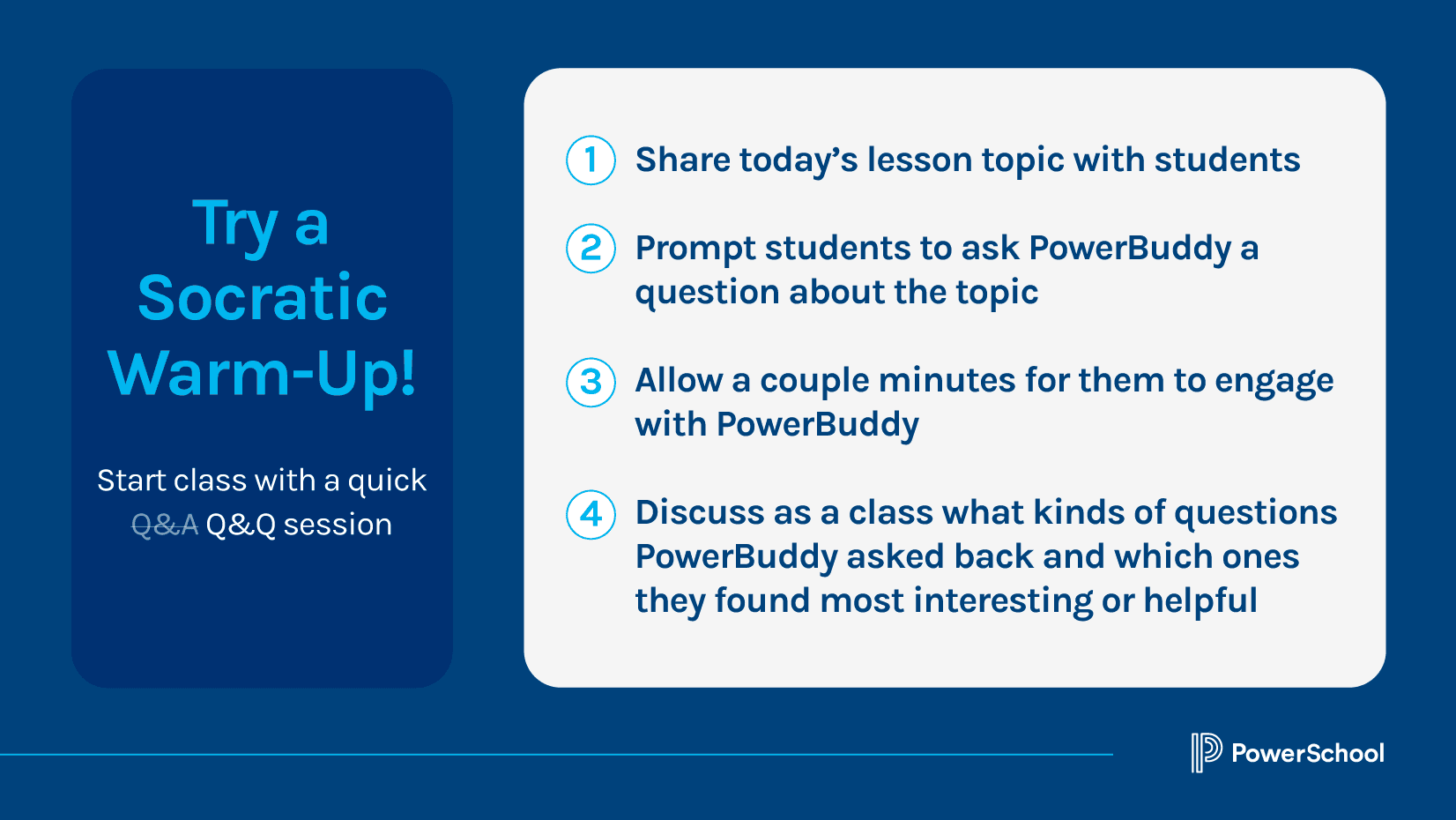
Socratic Mode shifts the focus to critical thinking. Instead of giving answers, PowerBuddy guides students with questions.
Students get to:
- Reflect on what they already know
- Build reasoning skills
- Think more deeply about content
This mode is great for discussion, review, and strengthening understanding.
Can PowerBuddy support student research and creativity?
Yes. Here are four fun project types that PowerBuddy can help with!
1. Mini research projects
Students can use Research Mode to gather initial ideas and perspectives before diving deeper. A few project ideas include:
- Quick topic investigations
- Compare and contrast activities
- Myth-busting exercises
- Career exploration
- STEM mini-projects
2. Subject puzzles
Assign each student a unique piece from one topic. They can do initial research with PowerBuddy and then collaborate with classrooms to connect the full picture.
3. Historical timelines
Use PowerBuddy to help students build timelines that connect events, causes, and effects.
4. Media projects
Encourage students to brainstorm content ideas for topical podcasts, videos, or infographics.
Can PowerBuddy help students build knowledge in core subjects?
Yes. Here are seven ways to use PowerBuddy in different classes.
1. Vocabulary builder
To reinforce understanding of vocabulary, students can use PowerBuddy to define terms, generate example sentences, and create short stories.
2. Math practice
Students can work through problems step-by-step with support from PowerBuddy, helping them understand the process, not just the answer.
3. Data analysis practice
Students can interpret datasets and identify patterns by asking guiding questions.
4. World language practice
Students can practice conversations in different languages, translate text, and explore grammar explanations.
5. Literary character exploration
Students can interact with PowerBuddy as if it were a character, helping them analyze motivation and perspective.
6. Role-play scenarios
Bring history and social studies to life by having students interact with portrayals of historical or fictional figures. Example prompts:
- “You are Thomas Edison. Why did you invent the light bulb?”
- “You are Harriet Tubman. Why did you become a leader of the Underground Railroad?”
7. Lab partner
In science labs, students can “partner up” with PowerBuddy to predict outcomes, explain variables, and troubleshoot errors.
Can PowerBuddy help with student accountability and communication?
Yes. Here are four ways students can use PowerBuddy to double-check their work, prep for tests, and strengthen their speaking and self-reflection skills.
1. Assignment review
Students can use PowerBuddy to review their work before submitting, helping them check for clarity and alignment to the assignment.
2. Test preparation
Students can use Research Mode to break down complex topics or use Socratic Mode for practice and self-assessment.
3. Mock interviews and presentations
To improve confidence and communication skills, students can practice giving presentations, answering interview questions, and receiving feedback.
4. Exit tickets
Have students reflect on their learning with prompts like:
- What surprised you today?
- How would you explain this to someone else?
Can PowerBuddy help personalize student learning?
Yes. Here are three ways PowerBuddy supports individualized pathways.
1. Small group work and differentiation
Create separate assignments or discussions with different prompts or supports for different groups of students.
2. Choice boards
PowerBuddy can support students as they work through their chosen activity options.
3. PowerBuddy around the clock
For students who want to ask questions outside of class or later at home, teachers can create an always-available discussion or interactive page.
Can teachers use PowerBuddy for professional learning?
Yes! Teachers can use PowerBuddy within Schoology Learning to explore new instructional strategies, reflect on book studies or professional development topics, and research AI literacy information like safe online behavior, bias in AI, ethical technology use, and more.
Simple strategies for stronger student engagement
Here are a few simple strategies teachers can follow to make PowerBuddy more effective in class:
- Set expectations for how students should use it
- Provide clear prompts
- Create a “PowerBuddy Help Desk” where students can get support while working independently
- Encourage follow-up questions
- Prepare your own research or topic highlights to expand on PowerBuddy responses
- Incorporate PowerBuddy into group exercises and discussion-based activities
- Emphasize and celebrate idea generation, not copy-paste answers

Introduce PowerBuddy to Your Class
See how PowerBuddy can help you support your students’ day-to-day learning, critical thinking, and communication skills.
Learn More