

< Go Back to Main PowerSchool SIS User Toolbox
Getting Started with PowerSchool SIS
These resources are designed to help you successfully utilize PowerSchool SIS to its full potential.
Expert Videos
Favorites
Learn to access and manage Favorites in PowerSchool SIS.
Daily Bulletin
Learn to add items to the Daily Bulletin in PowerSchool SIS to keep students and staff informed with timely updates.
Parent Portal
Learn how to configure the parent/student portal.
Modifying Calendar
Learn how to modify the calendar.
Advanced Search
Learn to use Advanced Search to quickly locate student records.
Stored Searches
Discover how to explore a stored search in PowerSchool SIS to quickly access the data you need.
Stored Searches: Bus Route
Learn how to save a search from the SIS home page.
Enroll New Student
Learn to enroll a new student in PowerSchool SIS with accurate, step-by-step setup.
Advanced Search
Learn to use Advanced Search to quickly locate student records.
Report Queue
Master the steps to build a report queue in PowerSchool SIS and manage report workflows with ease multiple days in a row.
Enhanced User Interface
Take a quick tour of the enhanced SIS interface and discover the top three features designed to boost usability.
Resources
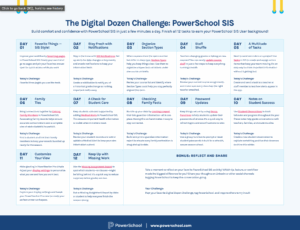
Digital Dozen Challenge: PowerSchool SIS
Build comfort and confidence with PowerSchool SIS in just a few minutes a day.

Technical Product Support
Access helpful information on PowerSchool SIS
PowerSchool Community