We know all of our teachers need more help this year. But do you have the data to tell you the specific help that all your teachers across a school or district might need?
For administrators who use PowerSchool Perform, that answer is yes. “This is one of the most powerful aspects of Perform, and the one districts seem to use the least,” says Fred Scott, Senior Business Education Consultant at PowerSchool, former elementary school principal, and professional development specialist.
Many users of Perform focus on using it to manage and conduct teacher evaluations and observations—both online or in person. Districts use it to provide feedback and recommendations to individual teachers, including recommended PD. But Perform can help you go beyond just looking at one teacher’s evaluation. Perform enables you to sift through and aggregate that feedback, giving you data you can use to spot trends and anomalies across your district or a specific location.
Analyze your current teacher trends
If you have Perform, you likely already have some data to allow you to do a basic analysis. Within your HR Tools, you’ll see an Analysis option. Here you’ll find some initial data based on the questions and rubrics you’ve already implemented. This data is based on the forms and questions you’re already asking and represents a great place to start.
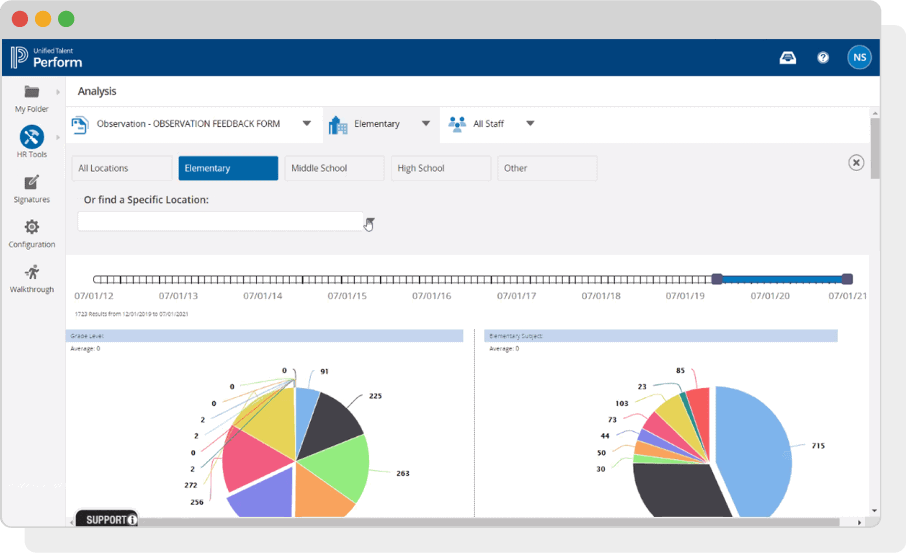
Scan through the data and see if you spot any trends or anomalies. How are teachers doing with online teaching? Any specific grades or locations doing better or worse? Any specific questions jump out as areas for development?
CA
That’s what’s great about Perform: The data it provides. You can see your campus as a whole in kind of a snapshot, and then you can drill it down to the individual person and open up that data, as well. That really helps with determining the professional learning that we’re going to offer.
JACQUELINE SUNDT PRINCIPAL
SPECHT ELEMENTARY SCHOOL
Go beyond current data
If you find the data interesting but not as actionable as you’d like, it’s no problem to make changes. Again, this data is based on the forms, rubrics, and questions you’ve already implemented in your Perform evaluations. If you think you need better analysis on how teachers are doing with a specific area, you can easily update the form to include this in the evaluation.
“You want to start with the end in mind,” says Scott. “When I implemented this in our district, we spent about a month defining what data we needed and the best way to get that with the forms. Now the district has a very rich and actionable data set. They truly understand how their teachers need help and can take action.”
CA
When I implemented this in our district, we spent about a month defining what data we needed and the best way to get that with the forms. Now the district has a very rich and actionable data set. They truly understand how their teachers need help and can take action.
FRED SCOTT SENIOR BUSINESS EDUCATION CONSULTANT
POWERSCHOOL
Scott says his Professional Development team recommended changes to the forms over the summer. This allowed them to begin collecting better data immediately at the start of the new year, resulting in clearer and more actionable feedback for teachers. It was a win for educators and a win for the PD team to see opportunities to make the most impact.
Translate teacher trends into PD solutions
Now that you have easy access to a rich data set, you can quickly move into solutions. For example, if you see teachers at a specific location struggling with a topic, you can schedule a targeted in-service day to help. Suppose all teachers need more help with online teaching. In that case, you can push out new courses on your LMS and track participation via PowerSchool’s Professional Learning solution, which is integrated with Perform.
You can also go beyond coursework. With your new trend data, you can identify who is doing well with new concepts or shifts and set up a mentoring program. Now you have clear data on who can help and who needs help with specific subjects.
Identify review trends also
This rich mine of data doesn’t just help you identify opportunities for your teachers and staff. Now you can also see how well your reviewers are doing. You can see if certain reviewers are more harsh or lenient than their peers. For example, you might find that a specific reviewer is marking teachers more leniently than their peers, indicating an opportunity to promote consistency and make teacher review data more reliable.
To access this helpful report, simply navigate to the Reports section under HR Tools. There you’ll find a set of reports for “Inter-Rater Reliability.”
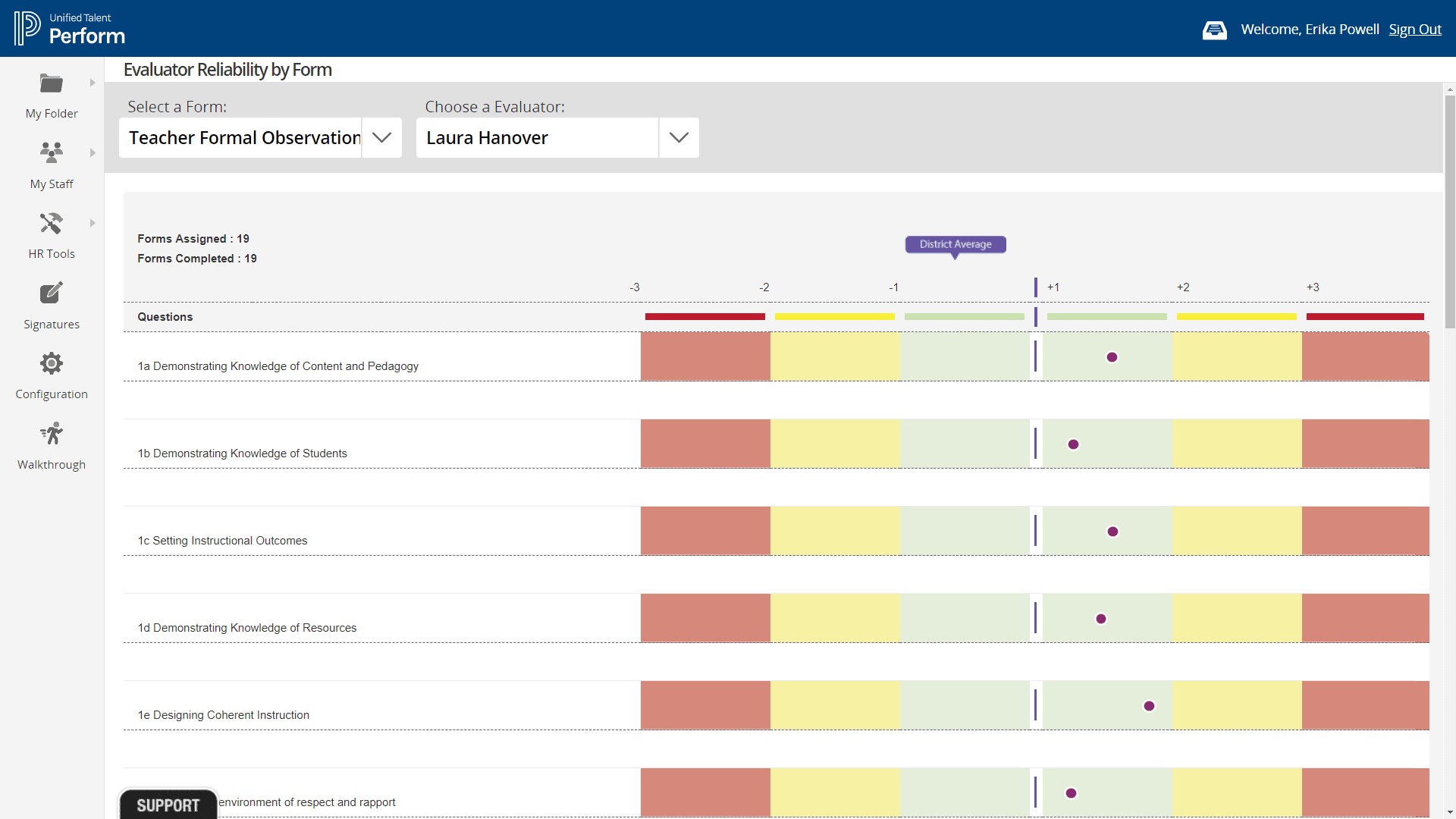
Summer is the perfect time to start
After such a long year, this summer is a perfect time to start analyzing your evaluation data for trends and updating any forms to help you gain even more insightful and actionable data. And the great news is this is all already in your Perform solution. The reports and analysis are already available in the current version. So don’t wait. Start analyzing your data to get even more value out of Perform.