

< Go Back to Main Schoology User Toolbox
Getting Started with Schoology Learning
These resources are designed to help you successfully utilize Schoology to its full potential.
Expert Videos
Learn more about the Annotations Assignment tool, including the student submission process.
Staying in the Know with Schoology
Learn how to access valuable Schoology resources to stay informed about updates, events, and more to bolster your product expertise and involvement.
Gradebook: Understanding the Flags in the Schoology Gradebook
Learn more about Schoology gradebook’s exception codes, or flags, that teachers can use to mark assignments quickly.
Assignments: How to Use the Rich Text Editor
Learn how to use the Rich Text Editor in Schoology to format text and add media to content created in courses.
Assessments: Interactive Question Types
Learn more about the interactive question types offered in the Assessment tool, allowing students to display their knowledge far beyond the traditional multiple choice question.
Assignments: How to Post Discussions
Get a step-by-step guide on posting discussions in your course to boost engagement.
Getting Started: How to Personalize Your Schoology Profile
Learn how to personalize your Schoology profile to share a bit of yourself with your students and parents.
Getting Started: Utilizing the Attendance Feature
Learn how to take daily attendance utilizing the native Attendance feature in Schoology.
Courses: How to Manage Privacy Settings
Learn how to review or modify privacy settings for your courses.
Courses: How to Post Course Updates
Learn how to post updates in your course and make important announcements effortlessly.
Webinar: Using Lesson Planner with Schoology
Learn how to utilize Curriculum & Instruction’s free Lesson Planner integration directly in your Schoology courses to enhance your lesson planning and delivery as well as save time by reusing year-after-year.
Champion: Connecting Teachers Through Schoology: A Curriculum Leader’s Guide
[Schoology Champion] Transform Schoology Groups into dynamic curriculum hubs where you can share aligned resources and foster collaboration in order to streamline workflows and empower educators at every level.
Webinar: Empowering Educators: Transforming Tech PD with Schoology Courses
[Schoology Champion] Discover how Schoology Courses can revolutionize professional development (PD) in your district through creating and managing engaging, self-paced courses for professional learning.
Webinar: Schoology for the Elementary Classroom
[Schoology Champion] Discover how even young students can benefit from a well-organized Schoology course. All new Schoology users—from teachers to instructional coaches—should find value in this session.
Resources
Schoology Back to School Guides
Get organized and confident for the year ahead with clear, role-specific guidance for PowerSchool Schoology Learning.
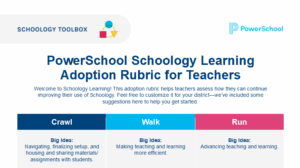
Schoology Adoption Rubrics
Get your tailored guides to success on Schoology. Our easy-to-use adoption rubrics for Teachers, Students, and Parents
Schoology End of Year Checklists
Get clear, role-specific guidance for closing the school year in PowerSchool Schoology Learning.
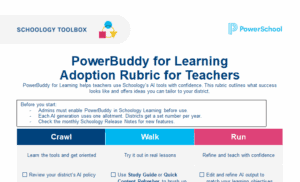
PowerBuddy for Learning Adoption Rubric
Bring AI into your classrooms with confidence. The PowerBuddy for Learning Adoption Rubric helps teachers confidently use Schoology’s AI tools.

Technical Product Support
Access helpful information on Schoology Learning
PowerSchool Community