These past few years have made it clear that today’s schools and districts need a reliable online way to enroll students. Giving families the convenience of enrolling students from the comfort of home, eliminating paper, and improving accuracy are benefits everyone appreciates.
With a flexible, secure, and modern online enrollment system, registrars and school administrators can better engage parents in a stress-free, successful experience.
The key to ensuring that new and returning students are registered on time with accurate or updated information, without unnecessary complications, is to make it easy for families to register students with an online enrollment process designed for them.
Here are six strategies to increase family participation in online enrollment to get the information you need to keep students safe and set the stage for a smooth school year.
And if you’re looking for an online enrollment solution, see how PowerSchool options can help.

1. Ask Yourself the Right Questions
Families will engage with an online enrollment process if it seems relevant and responsive to their needs.
A great way to assess the needs of your families and district is to ask yourself the following questions, or pose them to parents if you feel comfortable enough:
- Will families have computer and internet access?
- Do you need to work with your community to provide computer and internet access?
- Do your families have a smartphone?
- How tech savvy is your community?
- Will your families be able to easily understand instructions found online?
- Who will they contact for questions and when can they reach out?
- Will they have access to forms in their native language?
The answers to these questions will help reveal what kind of training your staff needs to plan for, if you need to provide computer access, if translation technology is needed, and how you can help families access the online enrollment process from the safety of their own homes.

2. Reach Out to Your Community for Help
Populations differ across states, cities, districts, and schools. It might be easy to connect to the internet in one town but tricky in another. By reaching out to your local community, you can give families multiple opportunities to learn about or access your online enrollment process.
Start by getting the word out. Write up a blurb for your town’s newspaper or community resource website. Send out an email blast or even some snail mail. Post to your social media accounts and tag local businesses asking for their help. Connect with PTA and other parent groups to get them to share information. Do whatever you can to spread awareness about your online enrollment and involve community members.
Take Shelby County School District in Memphis, for example. About 35% of Memphis residents didn’t have internet access at home. So, over the years, they had to get creative to ensure their 120,000 students could enroll online. The district uses multiple outlets to ask the community for help, including:
- Radio talk shows
- TV and newspaper ads
- Social media campaigns
- Communication with PTA presidents and active parents
Shelby County also trained community partners on registration and created additional resources to help parents through the process. With many non-native English speakers living in the Memphis area, district officials worked with churches and Latino Memphis (a local advocacy group for the city’s Hispanic community) to make inroads with those communities
“We invited them in during the summer where we had computer labs set up for training,” says Dr. Angela Hargrave, Director of Attendance and Discipline, Shelby County School District. “We trained them on how they could help parents register. Many organizations opened up their facilities and allowed parents to use computers in community centers and public libraries.”

3. Compile Helpful Instructions for How to Enroll Online
If your families aren’t very tech-savvy, anything online can seem intimidating. Set up a user-friendly resources page on your school or district’s website with training videos that parents can watch when enrolling online. Write and distribute click-by-click instructions (with screenshots!) to help them along. Create virtual events or remote office hours where you can teach them the basics of using the online enrollment system and help them get more comfortable with the technology.
According to Shelley Wedel, Manager of Student Information at Campbell Union School District, being able to customize your online forms for your specific needs is also helpful. “The improvements PowerSchool has made, giving us more hands-on access to make changes and build forms…has been really helpful. It gives us more flexibility to make changes to our forms when we need them,” she says.
Flexibility is also key to collecting new data that you may not have been previously collecting, such as remote or hybrid learning preferences, whether families have quality internet access, and in-home computer accessibility.
Make sure your instructions are inclusive of everyone in your community. With over 20% of U.S. children speaking a language other than English at home, you may need to have some translation software available as well as an online enrollment product that lets you digitize your forms into multiple languages.

4. Create an Incentive Program
Incomplete enrollment forms can pose a serious safety risk. Suppose a parent’s contact info isn’t up to date, a student’s medical needs was inaccurate, or their student wasn’t properly identified as needing free and reduced-price lunches. In that case, they might not get the services they need if there’s a school closure or emergency, or if a medical issue arises.
Remind parents that real-time access to accurate student data can empower your school or district to make the right call, if necessary.
Though enrollment is a serious issue, you and your staff should take a positive approach as you build your incentive program. Don’t be afraid to have fun with your enrollment season! Challenge your team to develop ideas to increase family participation. Consider sending out prizes or digital gift cards to parents who complete enrollment first. Or make it a competition between schools to see who can have the most (or highest percentage of) students enrolled before classes start.

5. Track Online Registration Progress
With a modern online enrollment system, you can monitor your families’ progress during the enrollment process with administrative dashboards and reports, and track submission and completion rates. Track who’s just getting started, already finished, or somewhere in between so you can see when you need to reach out or help families complete the process.
“Our administrative staff is able to run reports directly out of our online enrollment solution. They didn’t have access to these reports before, such as which parents didn’t agree to certain terms, and now they can manipulate that data better than they could on the paper forms,” says Lance Green, Director of Technology at Copley-Fairlawn City School District.

6. Take Advantage of Software Support
Remember that you don’t have to go it alone. Your online enrollment software provider should be your partner, offering service and support for a smooth process.
If you already have an online enrollment vendor:
Ask them if they offer extended support hours during peak enrollment periods so your schools can always know when to call. See if your vendor is willing to connect directly with families over the phone and walk them through completing the online enrollment forms. And check if they can provide any videos or click-by-click instructions that might help staff or parents transition to online enrollment.
Make sure to ask your vendor to send or point you to whatever resources they can. It’s likely your vendor has already compiled a list of helpful resources or best practices that they can share immediately.
If you’re looking for an online enrollment vendor:
Make sure to do your homework. You’ll want to check if the vendor can quickly implement so you’re up and running in time for the upcoming school year.
Plus, be sure to ask potential vendors what kind of onboarding, training, or resources they can provide your district ahead of time. With many schools switching to remote or hybrid operations, some support or IT teams might be overwhelmed with an influx of calls and service requests.
With these six strategies in hand and the right online enrollment product in place, you can engage families better, enjoy a smoother registration process, and have access to complete and accurate student data.
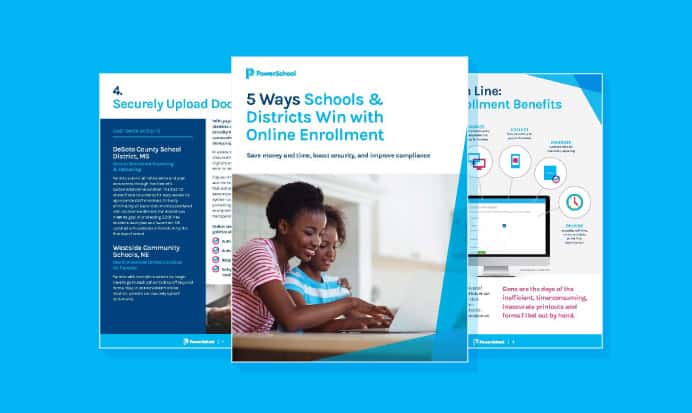
5 Ways Schools & Districts Win with Online Enrollment
Whether you’re updating from paper-based, or switching from an older digital system, this eBook highlights tangible benefits you can see with a modern K-12 online enrollment system.
Get Your Copy